Now on iPhone & Android
Meet your money genie
Track spending, plan budgets and grow your savings, all in one calm place. Budgenie makes budgeting feel like a wish granted, not a chore.
- No bank login needed
- Syncs iPhone ↔ Android
- 10 languages

Features
Everything you need, nothing you don't
A focused set of tools that cover the whole picture: what you earn, what you spend and what you're saving for.
Expenses & income
Log a purchase in seconds with an amount, an emoji category and an optional note. Mark bills as recurring.
Statistics & trends
Income vs. expenses, average daily spend, your top category and a six-month trend.
Calendar view
Every day's net at a glance. Tap a day to see exactly what came in and went out.
Savings goals
Set a target for that trip or emergency fund, add money as you go and watch the progress bar fill.
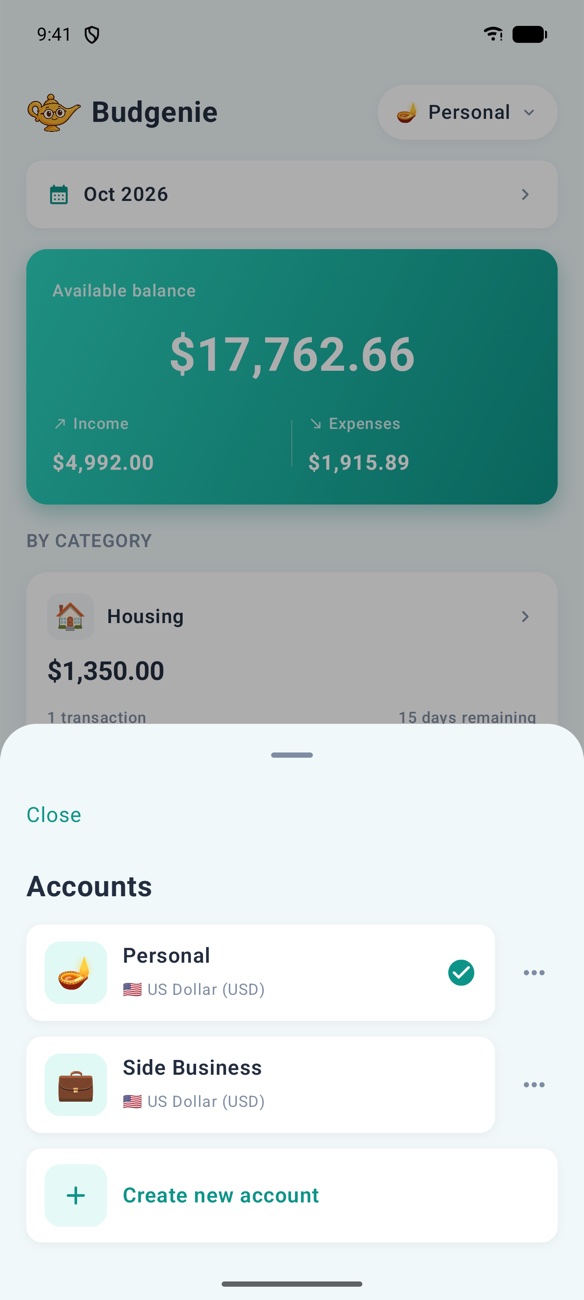
Multiple accounts
Keep personal, household and side-business money apart, each with its own currency.
Sync across devices
Sign in with Apple or Google and your budget follows you between iPhone and Android.
Make it yours
Ten colour themes, dark mode, custom categories with any emoji, 10 languages and 50+ currencies.
CSV export
Your data is yours. Export every transaction to a spreadsheet whenever you like.
Take a look
Designed to be delightfully simple
Real screens from the app. No spreadsheets, no jargon.
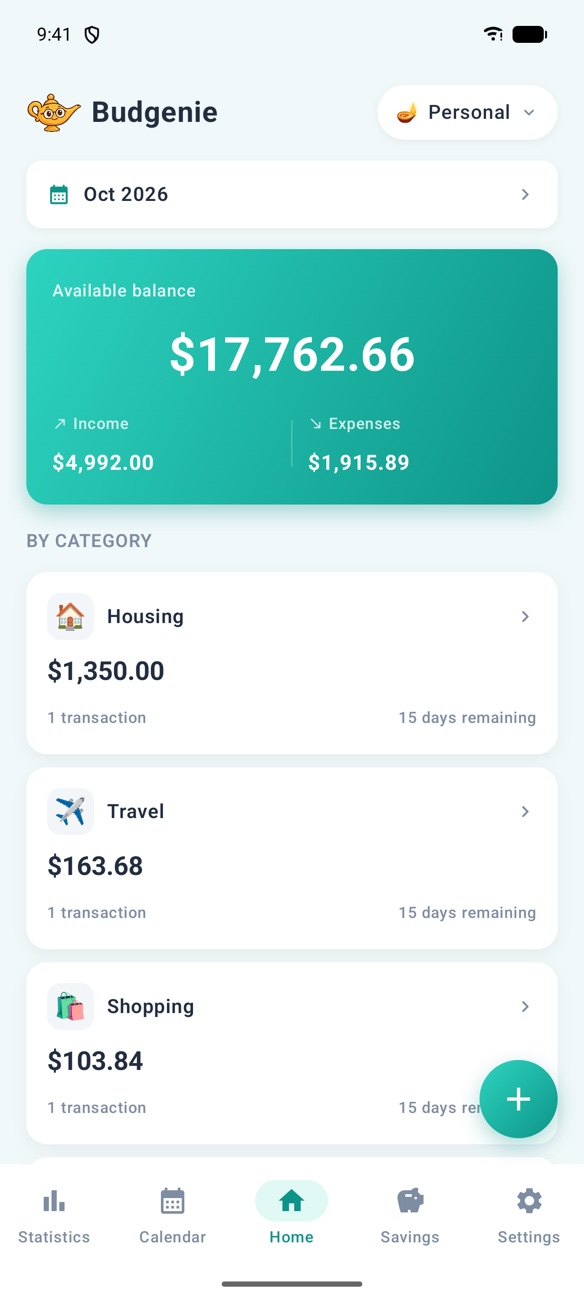
Home
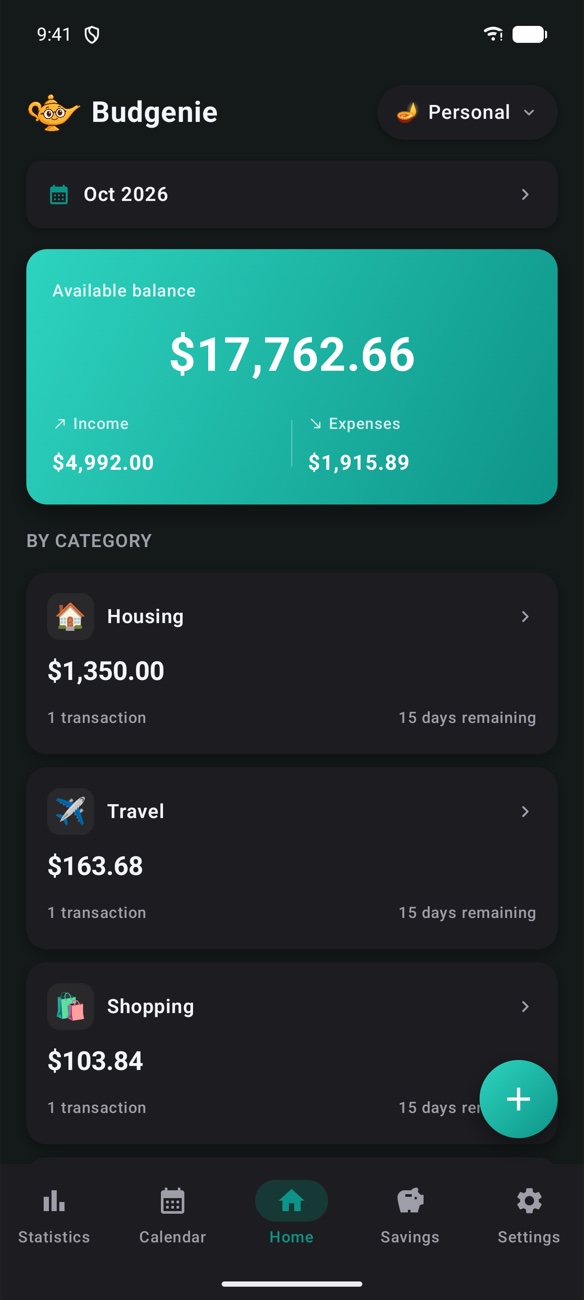
Your balance, at a glance
See what's available right now, plus this month's income and expenses. Spending is grouped by category, so you know where the money went without digging.
- Month picker for any past period
- Category cards with totals
- One tap to add a transaction
Quick add
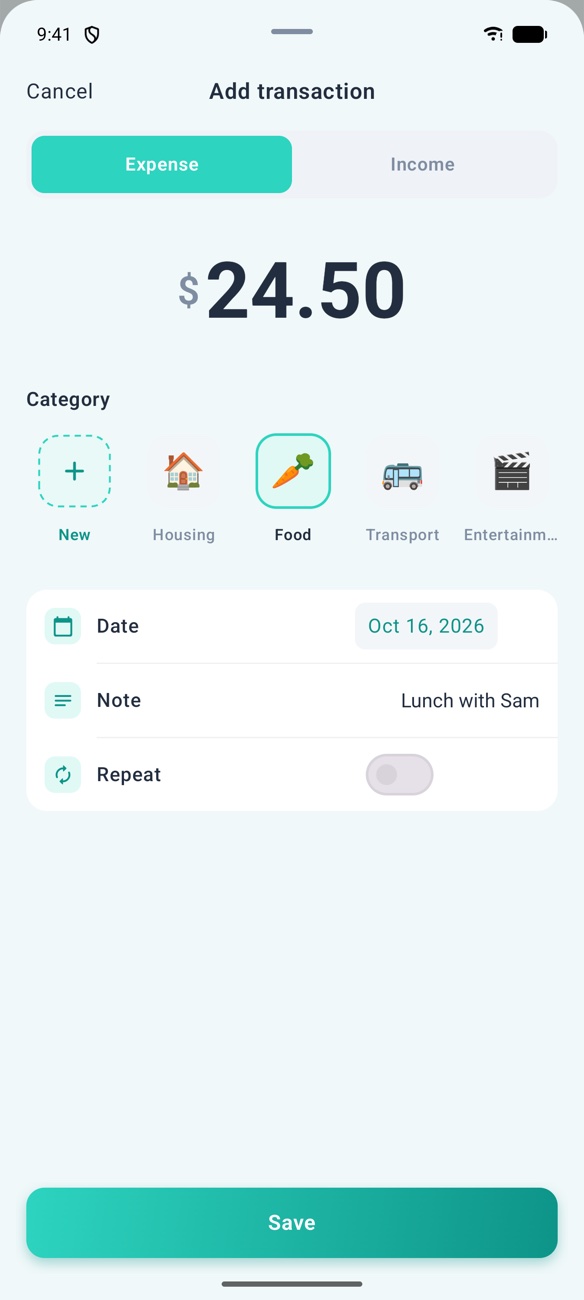
Log it before you forget it
Type the amount, tap a category, done. Add a note if you want one, or mark it as repeating for rent and subscriptions.
- Expense or income in one sheet
- Create your own categories with any emoji
- Edit or delete anytime
Statistics
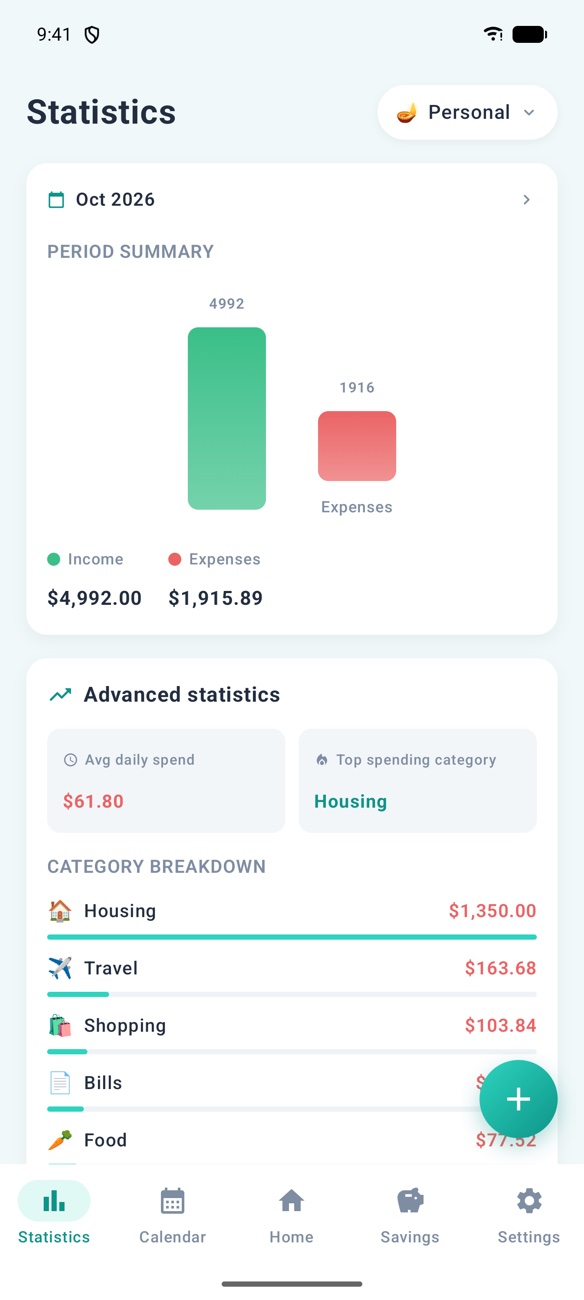
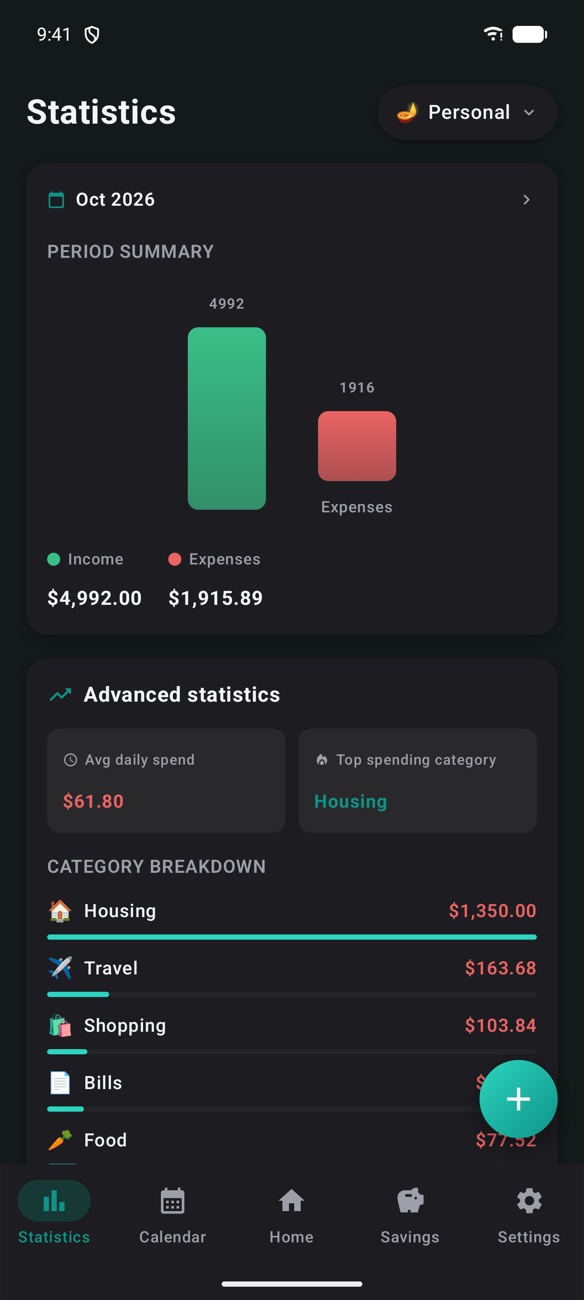
Understand your habits
Budgenie turns your transactions into clear charts, so patterns jump out and you can adjust before the month is over.
- Income vs. expenses chart
- Average daily spend & top category
- Category breakdown and six-month trend
Calendar
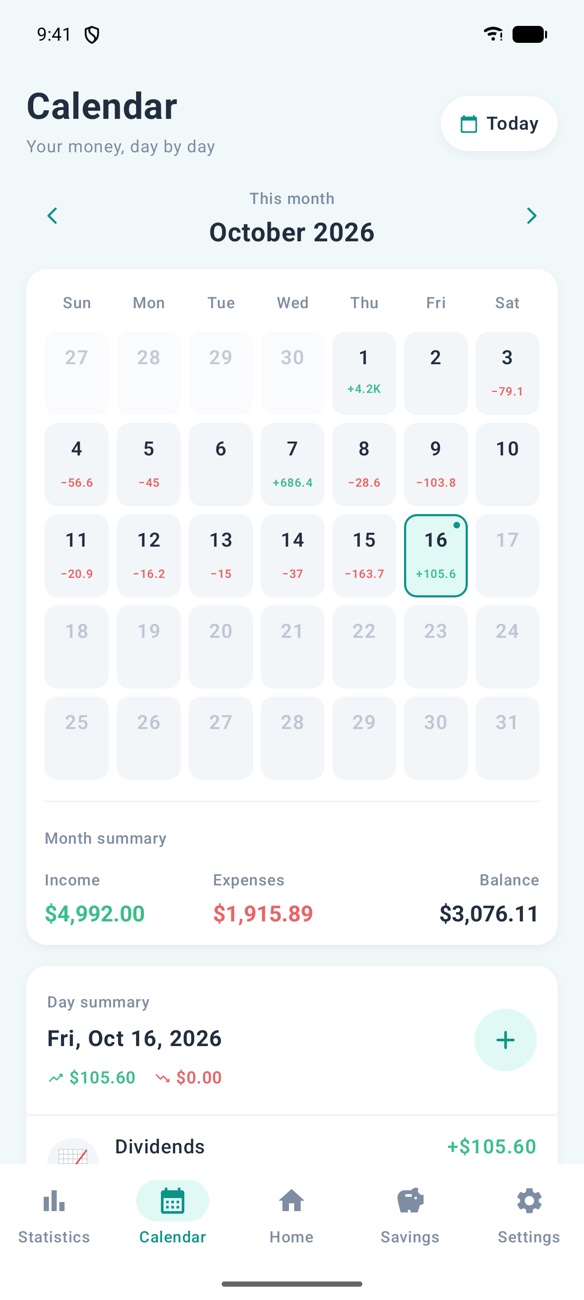
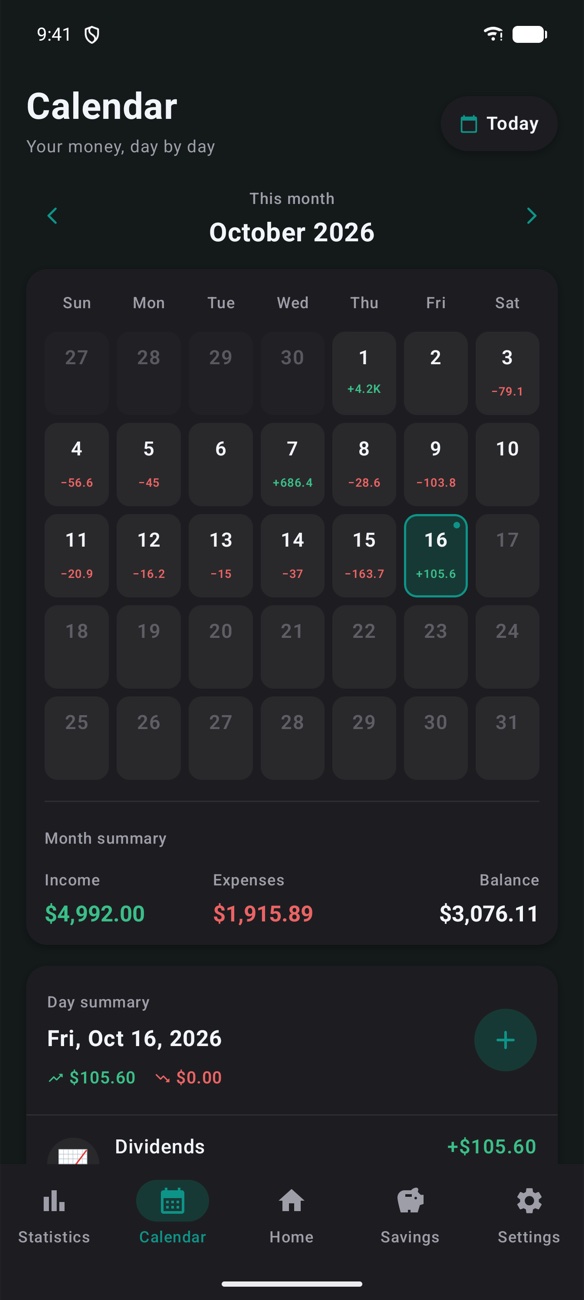
Your money, day by day
A month-at-a-glance calendar shows the net for every day. Spot your expensive weekends and quiet weeks instantly.
- Daily totals in green and red
- Month summary: income, expenses, balance
- Tap any day for its transactions
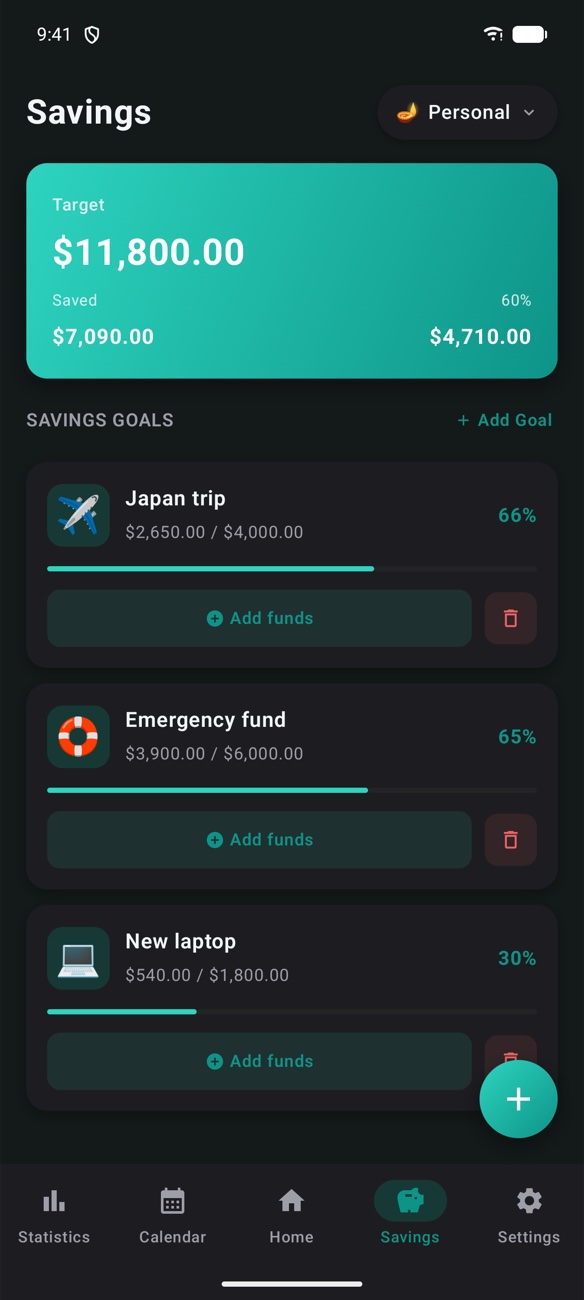
Savings goals
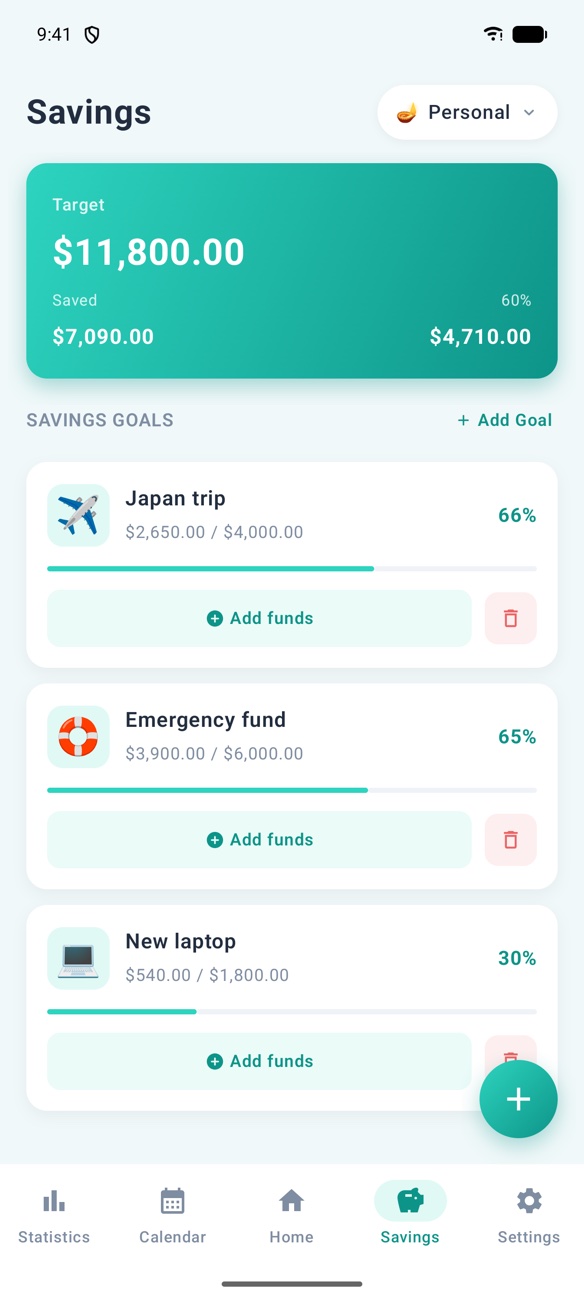
Make your wishes come true
Your genie can't conjure money, but it can help you save it. Create goals, add funds whenever you can and watch them fill up.
- Total target, saved and remaining
- Per-goal progress with percentages
- Goals for each account
Personalise
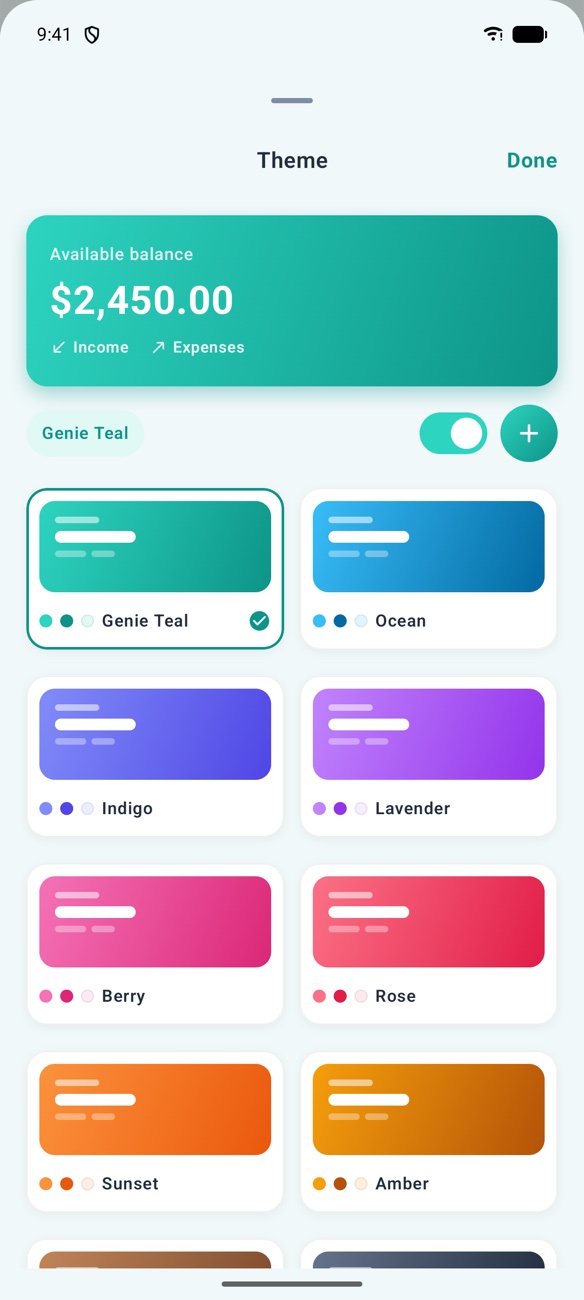
Light, dark and every colour in between
Pick from ten themes, switch on dark mode, and use Budgenie in your language and currency.
- English
- العربية
- Français
- Deutsch
- Español
- Português
- Italiano
- Türkçe
- 日本語
- 简体中文
💎 Budgenie Pro
One subscription. Every feature.
Choose monthly or yearly (yearly saves the most). Prices are shown in your local currency in the app before you subscribe, and you can cancel anytime from your store account.
- Unlimited budget accounts
- Advanced statistics and trends
- Savings goals
- Sync across all your devices
- Calendar of daily spending
- CSV export of every transaction
Private by design
Budgenie never asks for your bank login. You decide what goes in, your data syncs only to your own account, and we never sell it or show you ads. Read the privacy policy.
FAQ
Questions? Answered.
Which devices does Budgenie run on?
Budgenie is available for iPhone on the App Store and for Android phones on Google Play.
Do my budgets sync between iPhone and Android?
Yes. Sign in with the same Apple or Google account and your accounts, categories, transactions and savings goals sync between your devices, across both platforms.
How much does it cost?
Budgenie is a subscription app with monthly and yearly plans. You'll see current prices in your local currency inside the app and on the store listing before you subscribe.
How do I cancel my subscription?
Subscriptions are managed by Apple or Google. On iPhone, go to Settings → your name → Subscriptions. On Android, open Google Play → Profile → Payments & subscriptions. You can also tap Manage subscription in Budgenie's Settings.
Is my financial data safe?
Budgenie never connects to your bank: you enter only what you choose. Your data is stored on your device and in your private cloud account, and it's never sold or used for ads.
How do I delete my account and data?
In the app, open Settings → Delete account. You can also email us. See the delete account page for every option. Delete account page
Which languages are supported?
English, Arabic, French, German, Spanish, Portuguese, Italian, Turkish, Japanese and Simplified Chinese.
Contact
Say hello 👋
Questions, feedback, a bug or an idea for a feature? I read every message and usually reply within a day or two.

Your wish for a calmer budget, granted.
Download Budgenie and set up your first budget in under a minute.